
Purpose
This article explains how to view the deployment status of a profile in the SureMDM Console. It helps administrators track the deployment progress and troubleshoot any issues related to profile installations on managed devices.
Prerequisites
- Access to the SureMDM web console.
- The profile should already have been deployed to one or more devices.
Steps
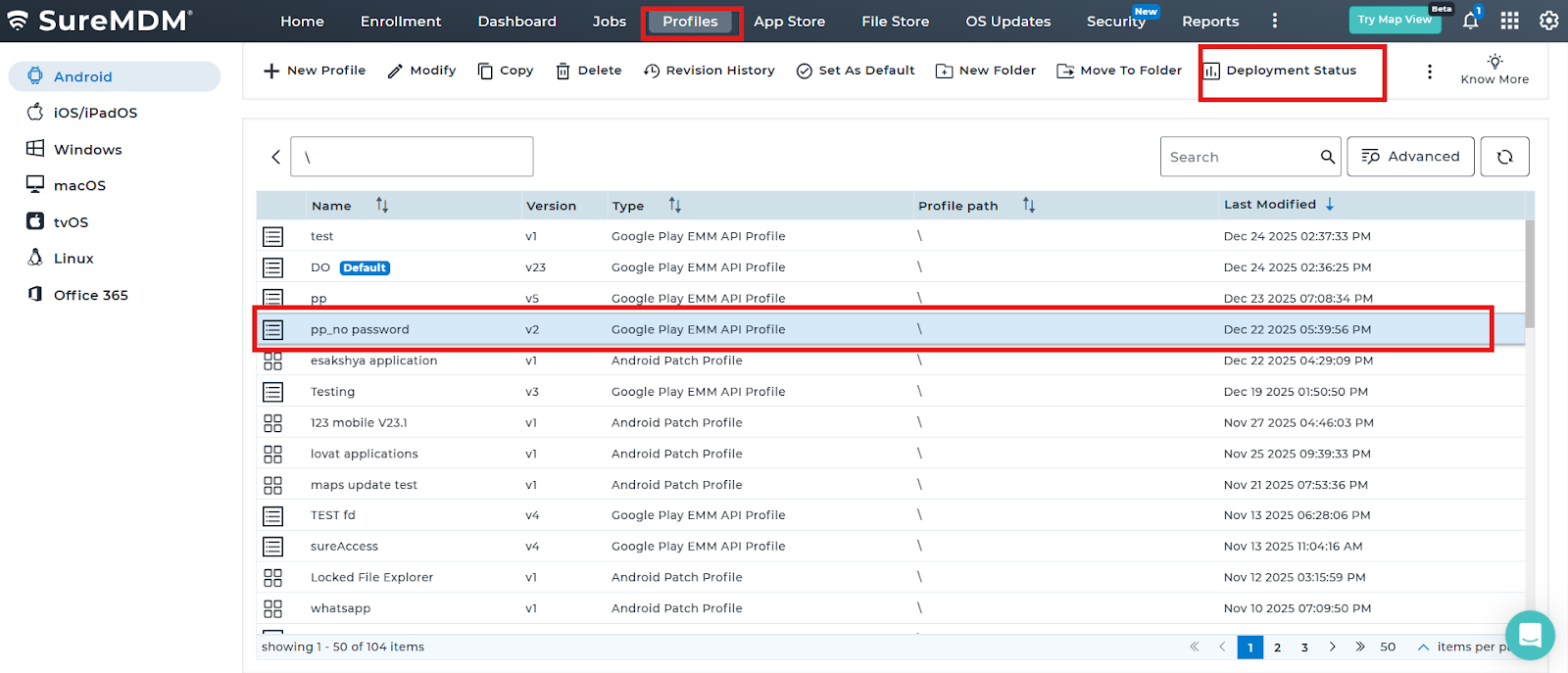
- Log in to the SureMDM Web Console.
- Navigate to the ‘Profiles‘ Section.
- Select the required profile and click on Deployment Status.
- The option may be visible directly on the interface or accessible by clicking the More (⋮) option.
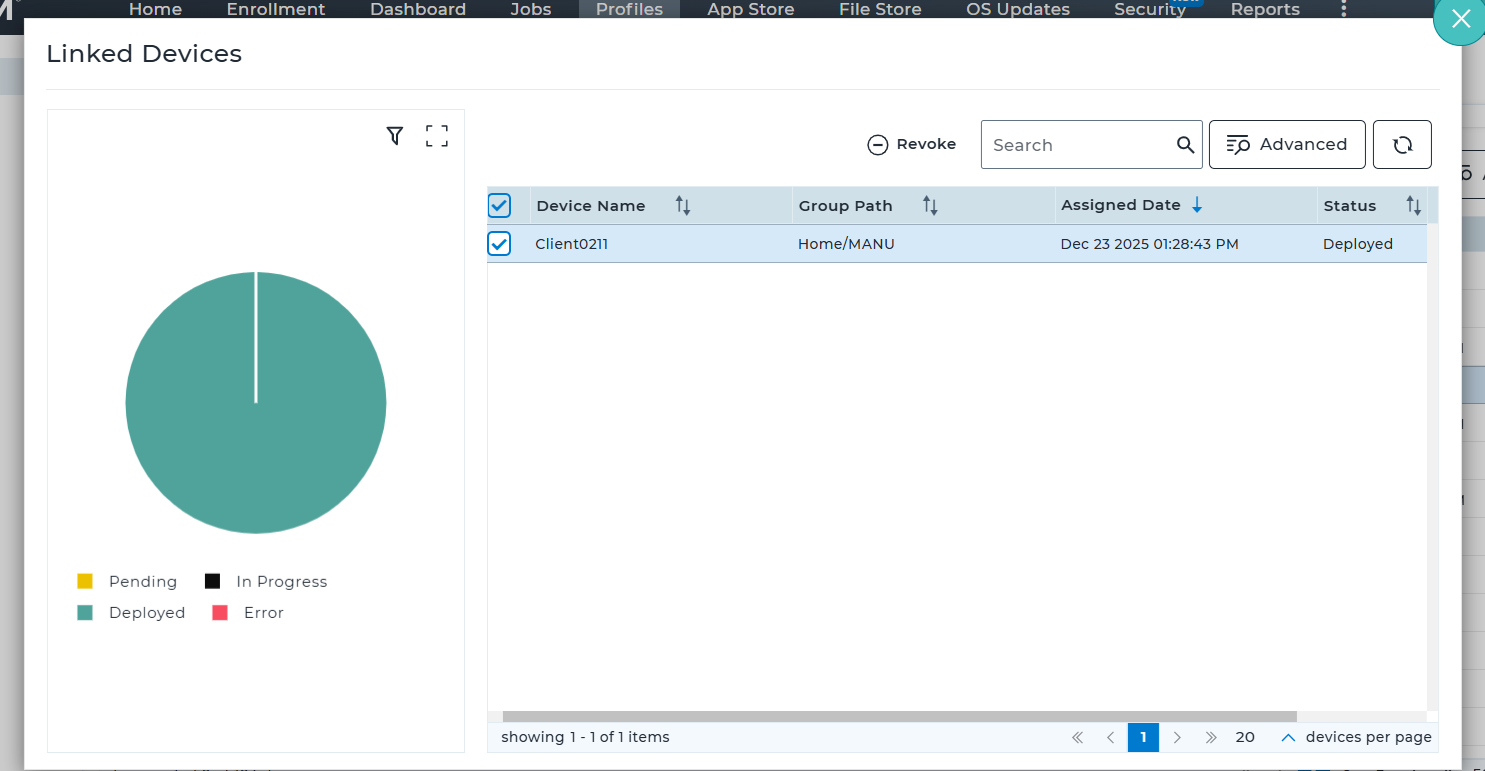
- The deployment details displayed include Device Name, Group Path, Profile Assignment Timestamp, and Deployment Status.
- Check the deployment status for Each Device listed. The status is shown either as a pie chart or under the Status column:
- Pending: The profile is waiting to be deployed.
- In Progress: The profile is currently being deployed.
- Deployed: The profile has been successfully deployed to the device.
Failed: The deployment has failed on the device.
6. If required, you can revoke the deployed profile from devices using the Revoke option.
Conclusion
By using the Deployment Status option in the SureMDM Web Console, administrators can easily monitor the progress and outcome of profile deployments across devices. This visibility helps ensure profiles are successfully applied, allows quick identification of failed or pending deployments, and provides the ability to revoke profiles when necessary, enabling effective and efficient device management.
Need more help? Here’s how to get help from our experts.