
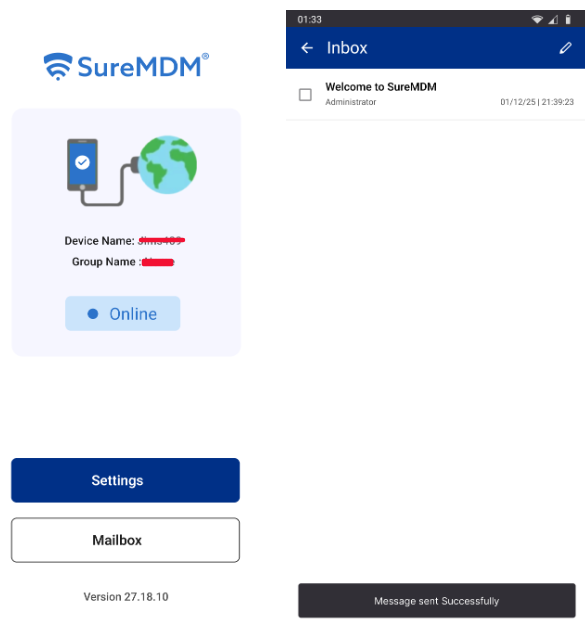
SureMDM is introducing a new theme customization feature for the SureMDM Agent application. This update aims to improve accessibility for users with color blindness who experience difficulty using the Mailbox/Messaging feature due to its default red-colored theme.
Purpose :
This article guides administrators through enabling and configuring the new theme option for the SureMDM Agent via the SureMDM Console. The new option allows users to switch between the default Legacy theme and a new Blue theme designed for better visibility by color-blind users.
Prerequisites
- Access to the SureMDM Console with permissions to create and manage Jobs.
- SureMDM Agent installed on Android devices
Steps
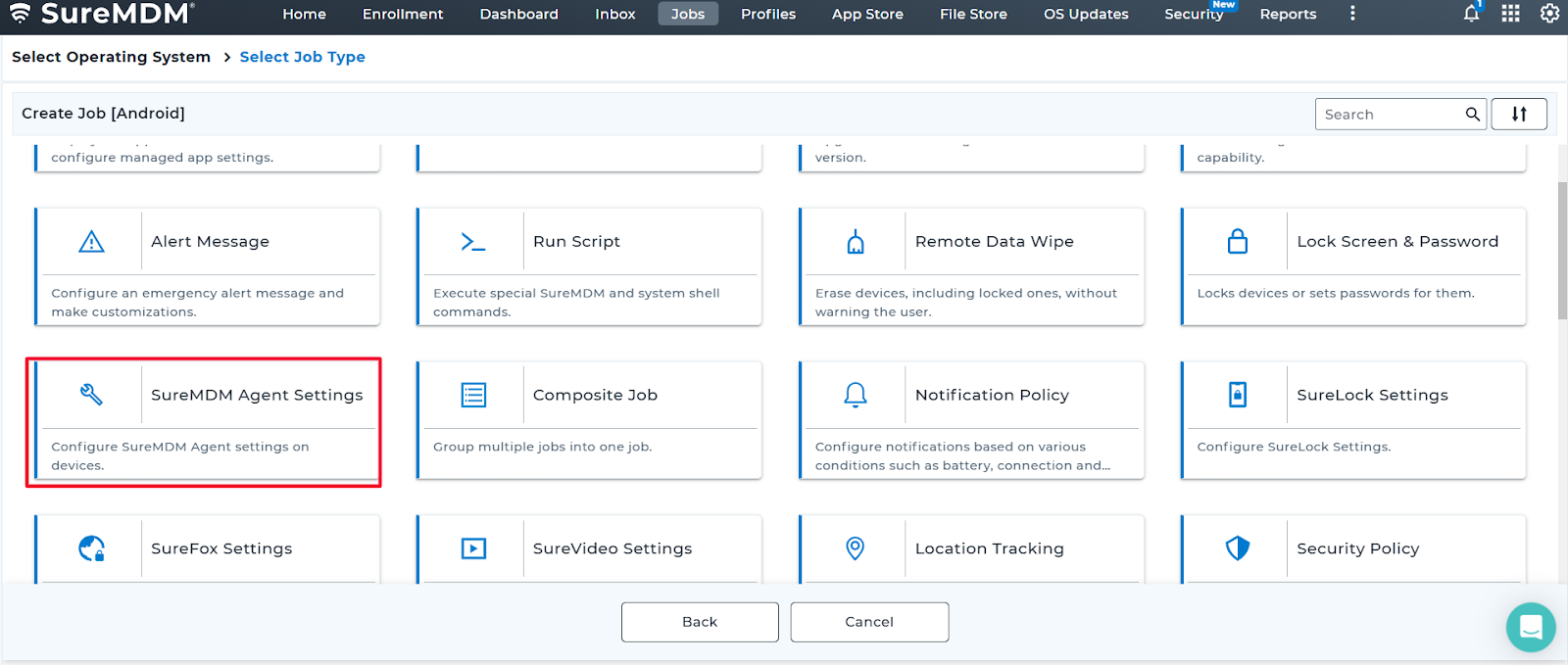
- Log in to the SureMDM Console > Jobs > New Job > Android > SureMDM Agent Settings.
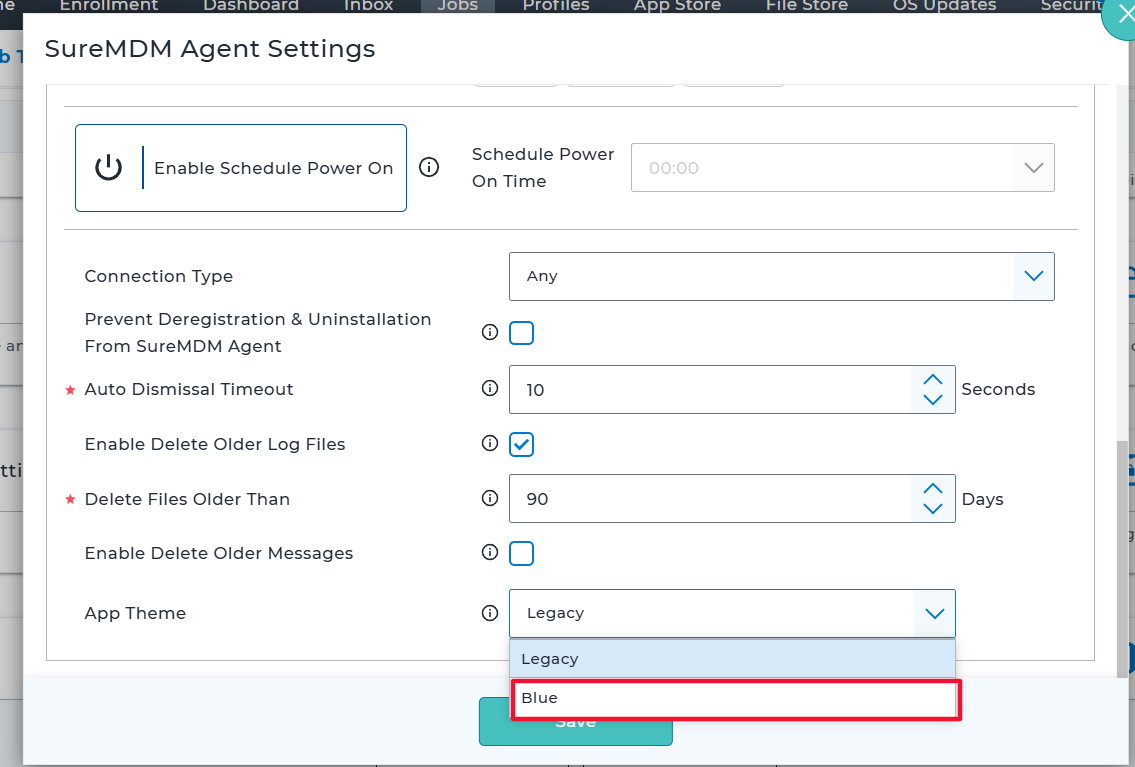
- Scroll to locate the option “App Theme.”
- Click the drop-down and select one of the following options:
- Legacy (default).
- Blue.
- Select the option “Blue,” save, and deploy the Job to the target Android devices.
Outcome:
Conclusion:
Adding the “App Theme” option in SureMDM Agent Settings empowers users to select a color theme that improves usability for color-blind users and enhances overall accessibility.
Need help?
CONTACT US