
Purpose
This setting is used to manage which applications can show notifications on the device’s status bar. When enabled, notifications from all apps are blocked except for those specified in the allowlist. You can define multiple apps using commas or wildcards.
Prerequisites
This procedure will be performed on Knox-enabled Samsung devices.
Steps
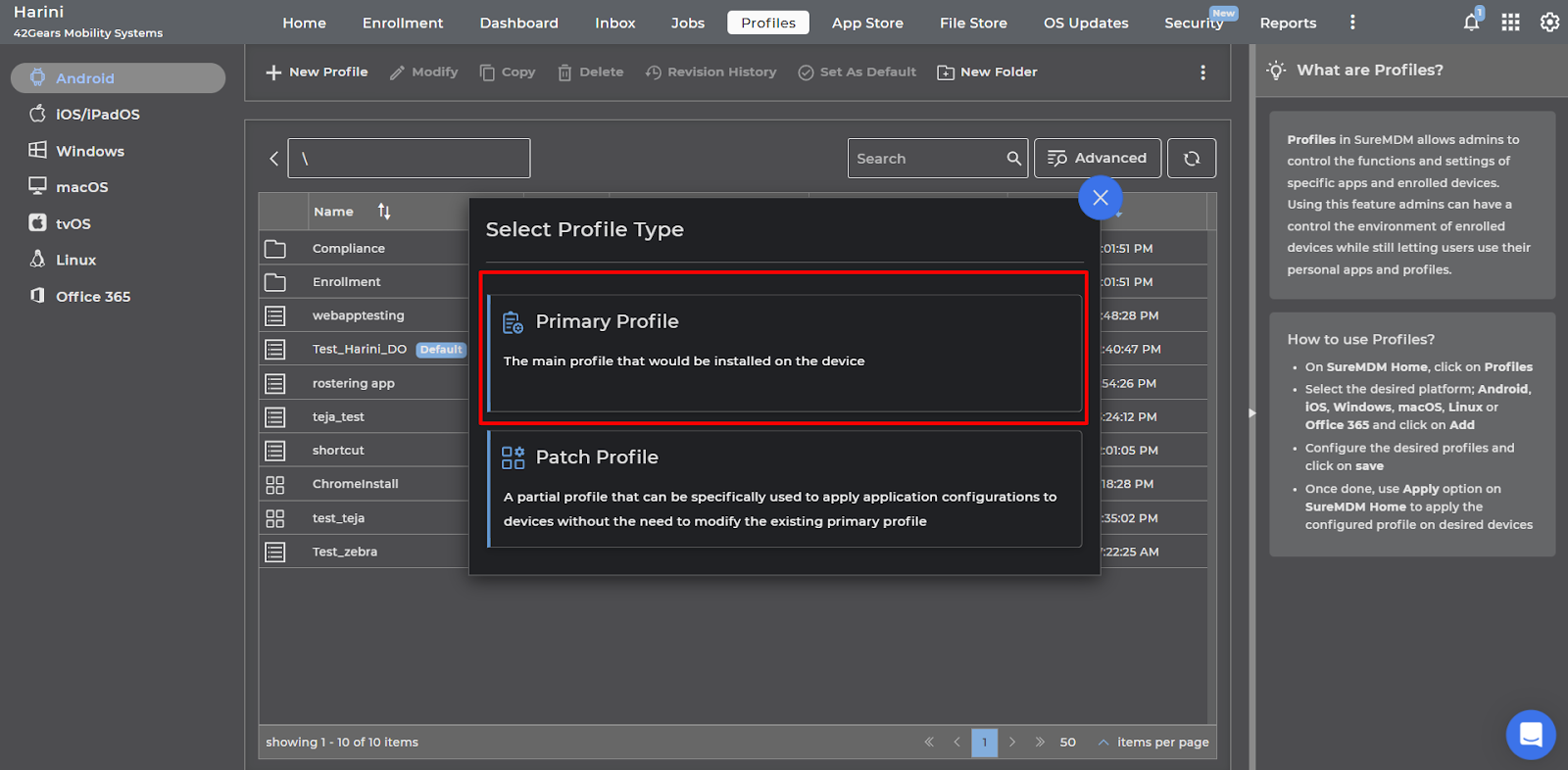
1. Go to the Profiles section from the top navigation bar.
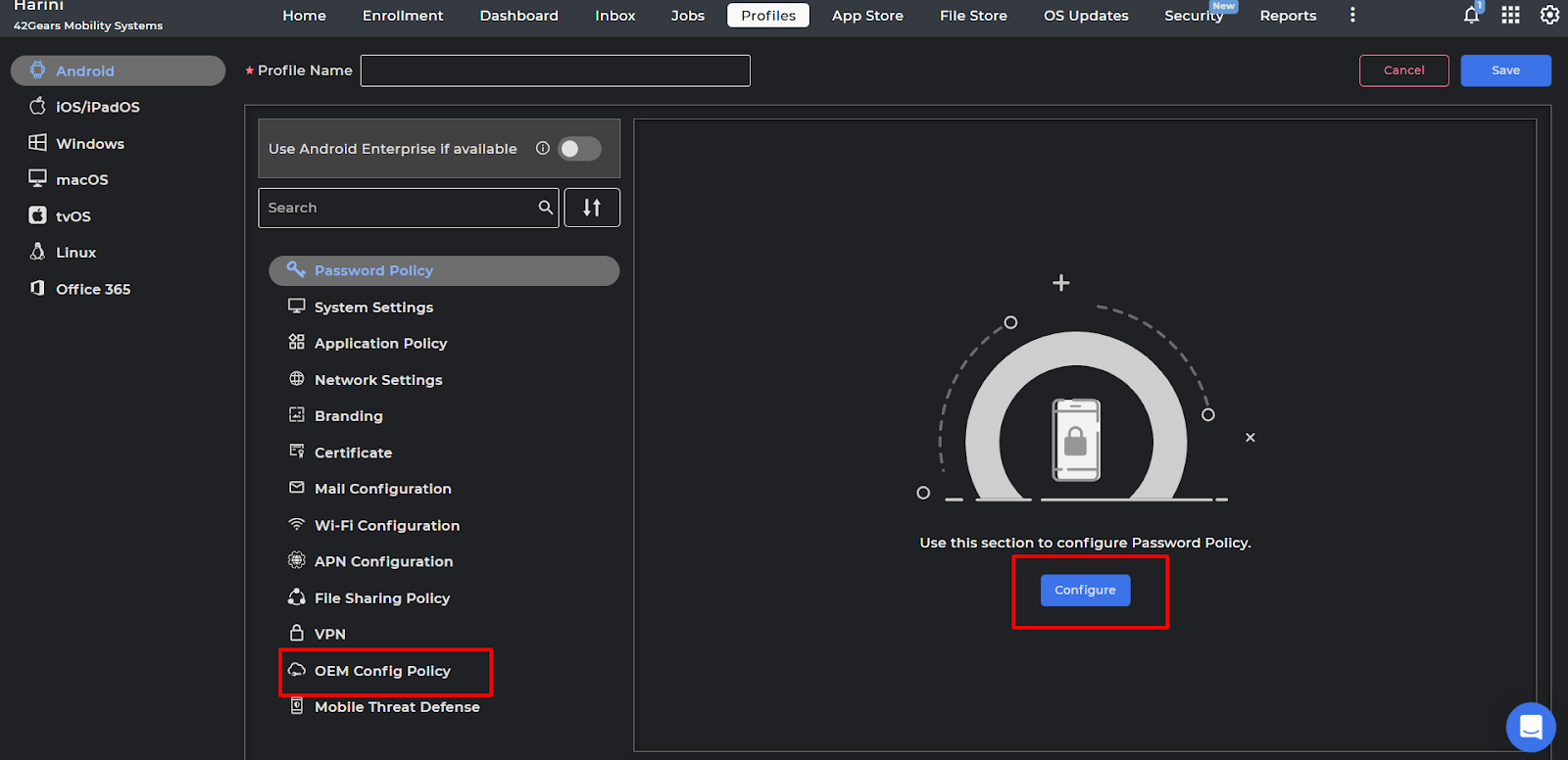
2. Search and select the OEM Config Policy and click on configure.
3: Click and select the Knox Service Plugin (Samsung).
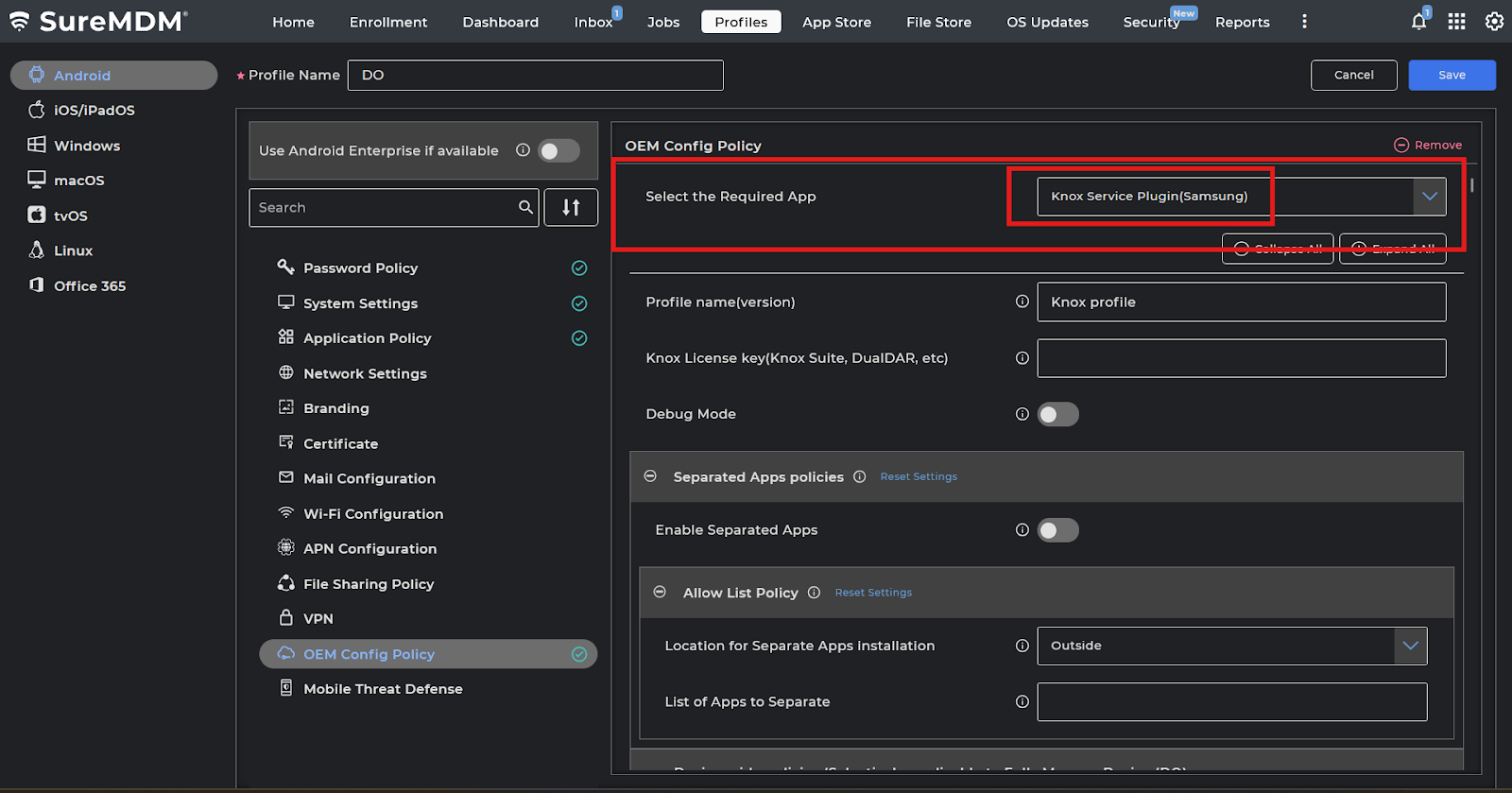
4: Click on expand and search for “Notification allowlist ” and “Notification blockList ” and configure the list.

Save the profiles and deploy it to the device. Based on the above configuration, notifications from all applications will be blocked except for the apps specified in the allowlist.
Need help?
CONTACT US