
Purpose
The purpose of this knowledge base article is to guide administrators on updating the SureMDM Agent on Linux devices using the Run Script feature. It provides clear steps to execute the latest agent update efficiently, ensuring devices remain secure, compatible, and up to date.
Prerequisites
The enhanced script is supported on Linux devices with SureMDM Agent version 7.15.0 and later.
Steps
1. Login to the SureMDM console > Click on the Job tab > select new Job .
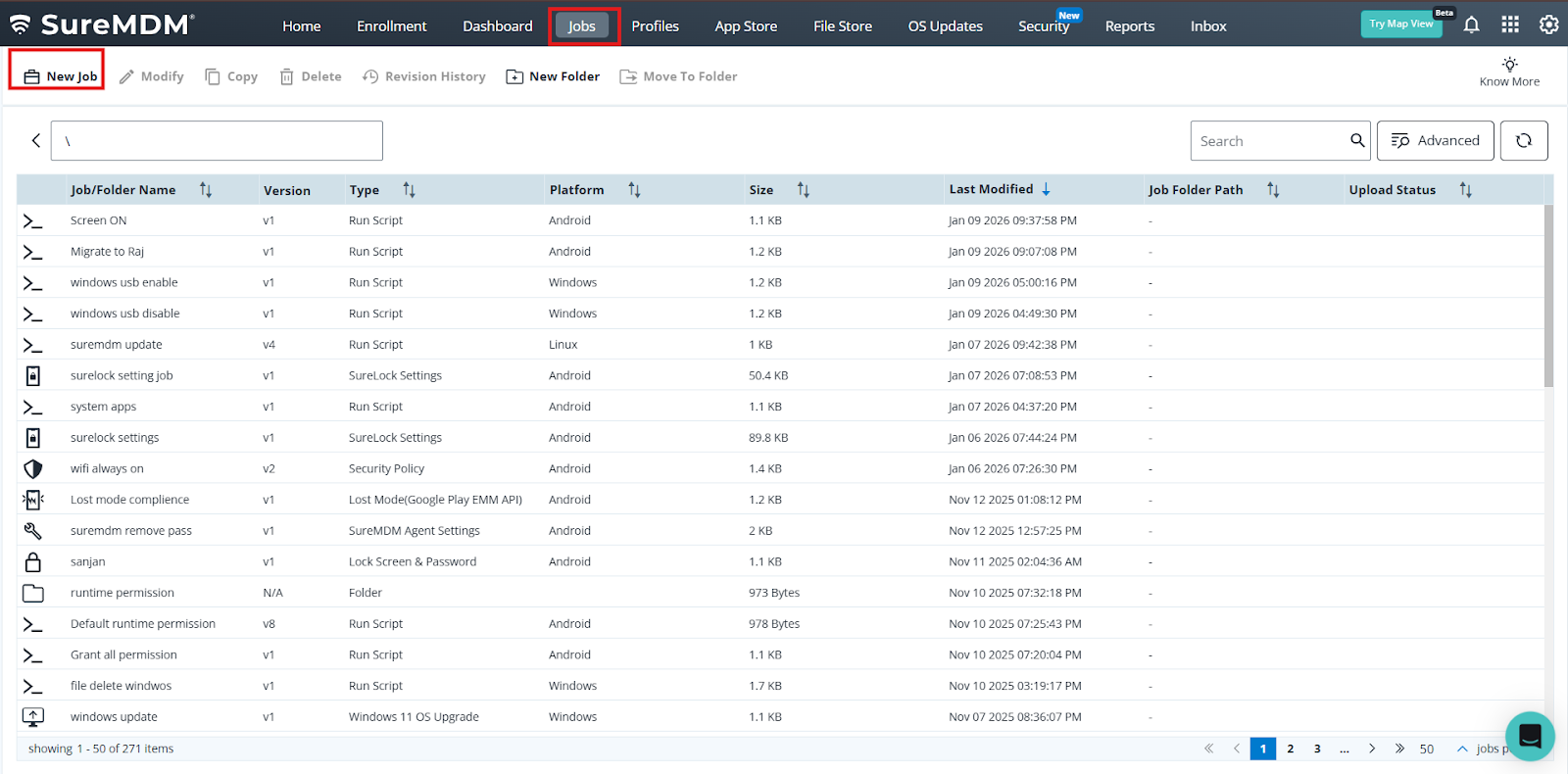
2 . Select Linux Operating system >Choose Runscript .
3 .Under Run script search for sureMDM agent and select the Agent update – latest Version . and save the job and deploy at the device end.
Conclusion:
This knowledge base article demonstrates an effective way to update the SureMDM Agent on Linux devices through the Run Script feature. Using this approach helps administrators maintain consistent agent versions, minimize update issues, and ensure devices stay secure and fully managed. Regular updates improve stability, compatibility, and overall device management efficiency across the organization.
Need more help? Here’s how to get help from our experts.