
Purpose
Administrators may need to control access to specific device functionalities such as Wi-Fi, Bluetooth, or system settings without enabling full SureLock Kiosk mode. SureLock Settings Manager provides the option to enable or disable individual SureLock plugin applications on Android devices operating outside Kiosk mode.
This feature allows administrators to selectively manage plugin availability, restrict unnecessary access, and maintain better control over device behavior while preserving operational flexibility.
Prerequisites
- Access to the SureMDM Web Console
- Android device(s) enrolled in SureMDM
- Active internet connection on the device(s)
- SureLock Settings Manager is installed on the device(s)
Steps
- On the SureMDM Web Console
- Navigate to Jobs > New Job > Android > Application Settings.
- In the Application Settings window, configure the required details:
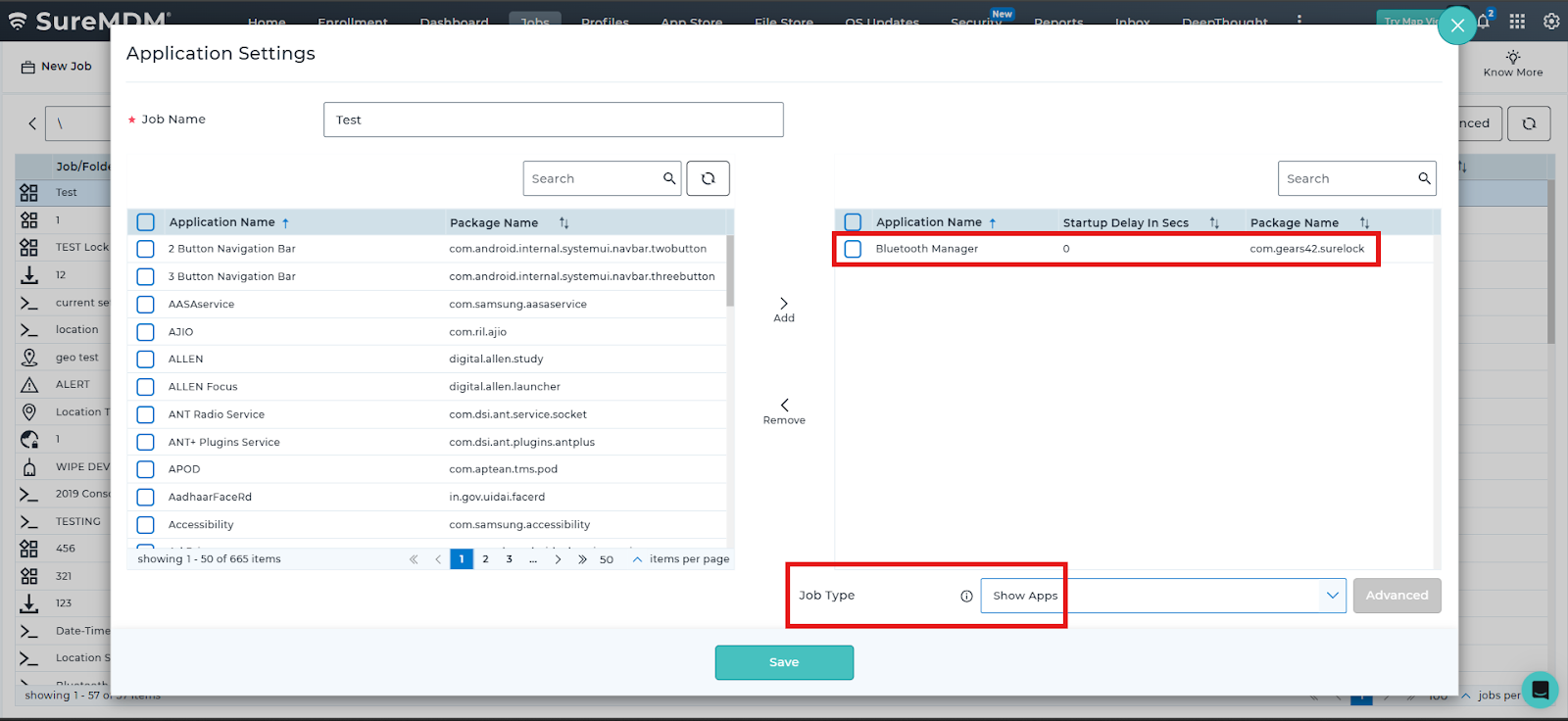
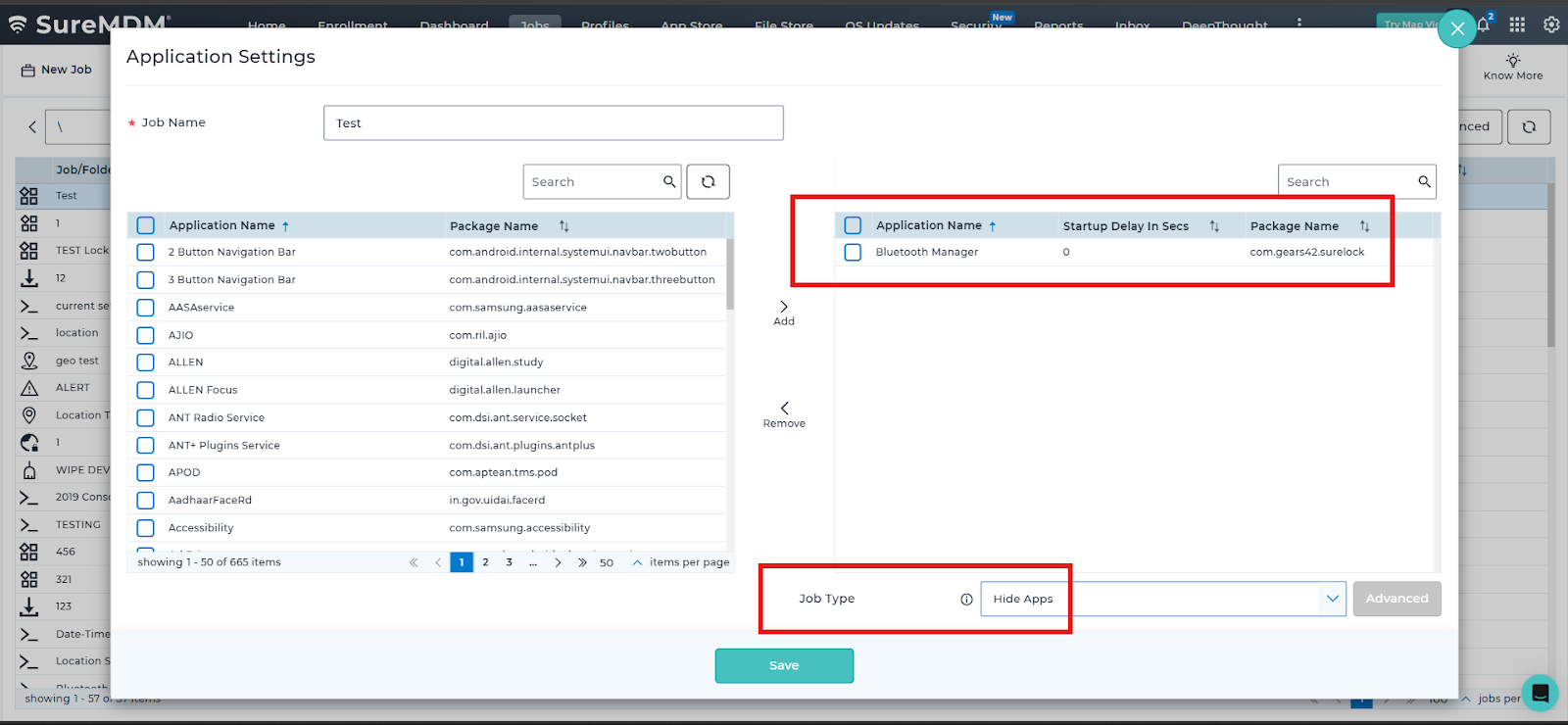
- Enter a Job Name and Under Application Name(s), select the required SureLock plugin application.
- Click Add to move the selected application to the right-side box.
- Configure the job based on the required action:
- To disable the plugin application, select Hide Apps as the Job Type
- To enable the plugin application, select Show Apps as the Job Type.
- Click on Save to create the job and Navigate to the Home tab.
- Select the required Android device(s) or device group(s).
- Click Apply to deploy the job.
Conclusion
The selected SureLock plugin application is successfully enabled or disabled on the targeted Android device(s). When disabled, the plugin application is no longer accessible to users, while other SureLock plugin applications continue to function without impact.
Enabling or disabling individual SureLock plugin applications outside Kiosk mode provides administrators with granular control over device functionality without requiring full uninstallation. This approach helps enforce security policies, limit access to unnecessary settings, and maintain a controlled device environment while preserving operational flexibility.
Need more help? Here’s how to get help from our experts.